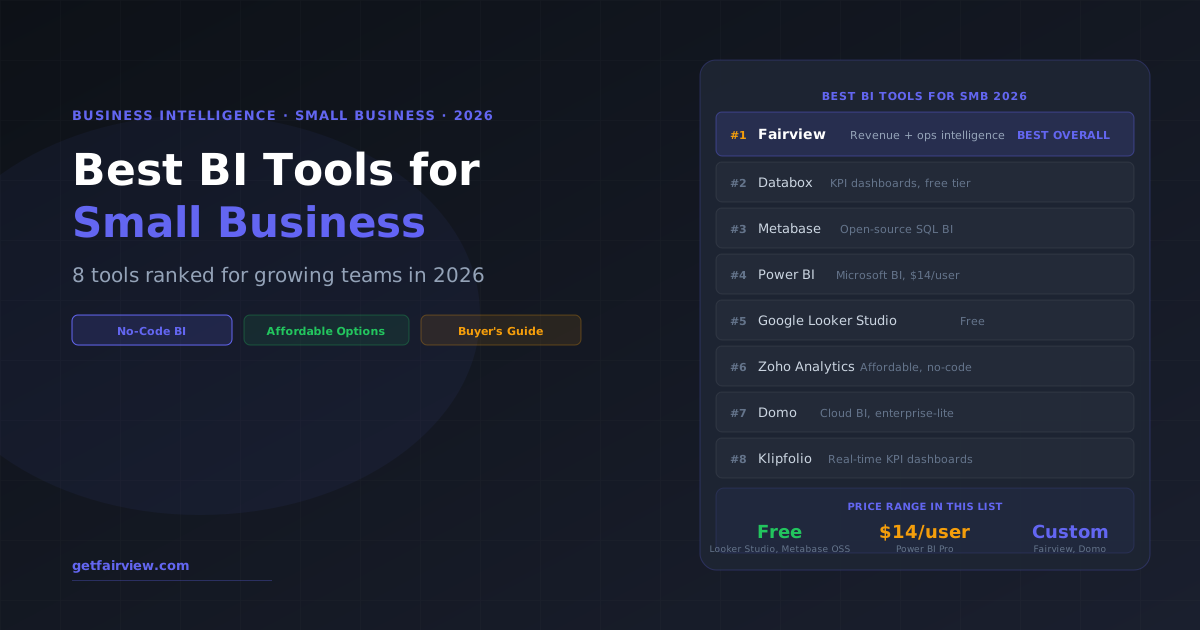
The best BI tools for small business in 2026 are Fairview for revenue and operating intelligence without a data team, Databox for no-code KPI dashboards from existing tools, Metabase for teams with a technical user who can write SQL, and Power BI for Microsoft-stack companies that need affordable custom BI. Most small businesses should start with one pre-built intelligence tool rather than a blank-canvas BI platform that requires significant configuration.
Business intelligence does not require a six-figure data team, a Snowflake warehouse, and a custom Looker build. It requires the right tool for your business size and technical sophistication. The problem is that most "best BI tools" guides are written for enterprise teams with data engineers — not for the 10-50 person B2B company trying to make better decisions from their HubSpot, Stripe, and QuickBooks data.
This guide is specifically for small and growing businesses: companies under 200 employees, without a dedicated data team, looking for BI tools that deliver actual insights without months of setup. Here is what actually works in 2026.
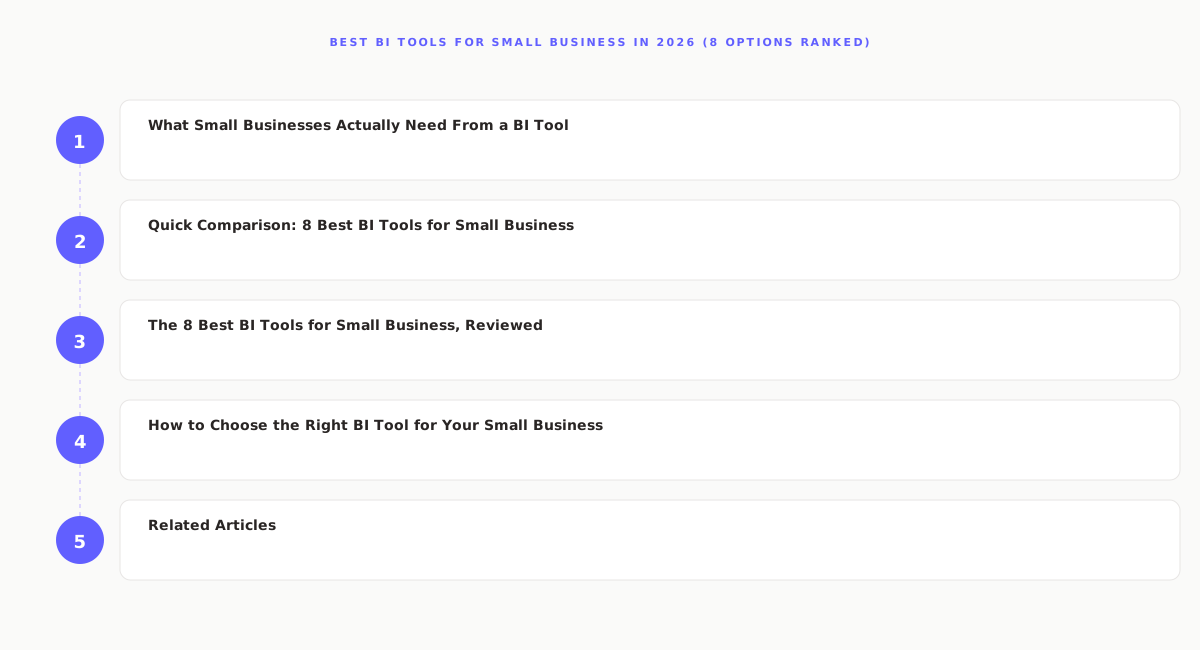
What Small Businesses Actually Need From a BI Tool
Before comparing tools, it helps to clarify what "BI for small business" actually means in practice. Small business BI needs fall into four categories:
- Revenue visibility: How much money is coming in, from which channels, and is it growing? (The basics — often available from your CRM and accounting software but scattered across multiple disconnected dashboards.)
- Operational metrics: Are you on track for the quarter? What is pipeline coverage, headcount efficiency, and customer acquisition cost by channel?
- Profitability analysis: Which customers, products, and channels produce the best margin — not just the most revenue?
- Ad hoc exploration: Ability to answer one-off questions ("which customer segment has the highest retention?") without filing a data request.
Most small businesses only need the first two categories reliably. The third (profitability analysis) is where most BI tools fail them — because it requires connecting CRM data to billing data to cost data, which generic BI tools force you to build yourself. The fourth (ad hoc exploration) requires SQL skills that most small business operators do not have.
Quick Comparison: 8 Best BI Tools for Small Business
| Tool | Best For | Price | No-Code? | Pre-built Metrics? | SQL Required? |
|---|---|---|---|---|---|
| Fairview | Revenue + ops intelligence | Custom | ✓ Yes | ✓ 50+ metrics | No |
| Databox | KPI dashboards, reporting | Free–$200+/mo | ✓ Yes | ~ Limited | No |
| Metabase | SQL-based custom BI | Free (OSS) | ✗ SQL needed | ✗ Build it | Yes (for depth) |
| Power BI | Microsoft-stack teams | $14/user/mo | ~ Mostly | ✗ Build it | ~ Optional |
| Looker Studio | Google Analytics users | Free | ~ Mostly | ✗ Build it | ~ Optional |
| Zoho Analytics | Zoho ecosystem users | $24–$125+/mo | ✓ Yes | ~ Zoho data | No |
| Domo | Enterprise-lite teams | Custom | ✓ Yes | ~ Some | No |
| Klipfolio | Real-time KPI monitoring | $99–$499+/mo | ✓ Yes | ~ Limited | No |
Revenue intelligence without the enterprise BI build cost
Fairview delivers 50+ pre-built RevOps, finance, and GTM metrics — connected to your existing tools in under 30 minutes.
See FairviewThe 8 Best BI Tools for Small Business, Reviewed
Fairview takes the top spot not because it is a traditional BI tool — it is not. It is a revenue intelligence platform. But for small B2B businesses, the distinction matters: traditional BI tools give you a blank canvas and expect you to define what metrics to track and build the dashboards to show them. Fairview ships with the metrics already defined — ARR, gross margin, CAC payback, pipeline coverage, cohort retention — and connects to your existing tools (Salesforce, HubSpot, Stripe, QuickBooks) to populate them automatically.
For a 20-person B2B SaaS company with a RevOps lead but no data engineer, Fairview delivers the BI outcomes (clear visibility into what is happening with revenue and operations) without the BI build cost (data team, warehouse, modeling layer, dashboard development). Read the detailed comparison: Operating Intelligence vs Business Intelligence.
Pros
- 50+ pre-built metrics for RevOps, finance, and GTM
- No SQL, no data team, no warehouse needed
- Connects CRM, billing, and cost data in one view
- Board-ready reporting built-in
- Designed for operators, not data analysts
Cons
- Custom pricing — no self-serve free tier
- Not a general-purpose BI tool for all use cases
- Best suited to B2B SaaS; less relevant for non-SaaS
Databox is the most accessible no-code dashboard tool for small businesses. It connects to 70+ data sources (HubSpot, Salesforce, Google Analytics, Stripe, QuickBooks, Shopify, and many more) and lets you build visual KPI dashboards without writing code. The free tier supports up to 3 data sources and 3 dashboards — enough to get started with basic reporting.
The important limitation: Databox is a display tool. It shows you the data that already exists in your connected platforms — it does not add intelligence or analysis on top of it. You cannot calculate contribution margin by channel, cohort retention, or CAC payback in Databox unless those metrics already exist as computed fields in your source tools. For teams that need revenue analysis beyond what their CRM and billing tools natively compute, Fairview is the more capable option. For teams that mainly need to visualize existing tool data in one place, Databox is genuinely excellent.
Pros
- Free tier is genuinely useful
- No-code dashboard builder with drag-and-drop
- 70+ native integrations
- Mobile app for KPI monitoring on-the-go
Cons
- Display tool — does not add intelligence or analysis
- Cannot compute cross-tool metrics (e.g., margin from CRM + billing)
- Becomes inadequate as analytical needs grow
Metabase is an open-source business intelligence tool that connects directly to your database (PostgreSQL, MySQL, BigQuery, Snowflake, etc.) and lets you write SQL queries or use a visual query builder to explore data and build dashboards. The open-source version is free to self-host — making it the most cost-effective option for technically capable small business teams.
The prerequisite: you need a database. Metabase cannot connect to your HubSpot or Stripe account directly — it connects to the database where your data lives. Most small businesses start using Metabase after setting up a basic data pipeline that syncs CRM and billing data into a PostgreSQL or BigQuery database. Without that infrastructure, Metabase requires significant setup before it delivers value. See the detailed Fairview vs Metabase comparison for a complete breakdown of when to choose each.
Pros
- Free open-source version for self-hosting
- Query any SQL database with GUI or raw SQL
- Highly customizable — build any dashboard
- Large community and plugin ecosystem
Cons
- Requires database infrastructure to connect to
- SQL knowledge needed for complex analysis
- No pre-built business metrics — build everything from scratch
- Self-hosting requires server management
Skip the BI build — get revenue intelligence out of the box
Fairview connects to your CRM, billing, and accounting tools and delivers 50+ pre-built metrics in under 30 minutes.
Book a DemoPower BI Pro at $14/user/month is one of the most cost-effective full-featured BI platforms available for small businesses — assuming you are already in the Microsoft ecosystem (Microsoft 365, Azure, Teams). It connects to hundreds of data sources, supports DAX-based custom metric calculations, and produces professional dashboards that embed in Teams and SharePoint.
The reality check: Power BI has a significant learning curve. The DAX formula language for custom calculations is powerful but not beginner-friendly. Most small business teams that adopt Power BI spend 2-4 weeks before producing useful dashboards — and often need a power user or consultant to maintain the models over time. It is excellent for the right team; the wrong team will let it sit unused.
Pros
- Extremely affordable ($14/user/mo)
- Hundreds of data connectors
- Powerful DAX for custom metric calculations
- Deep Microsoft ecosystem integration
Cons
- DAX learning curve is steep for non-technical users
- Best value only for Microsoft-stack companies
- Blank canvas — no pre-built revenue metrics
Google Looker Studio (formerly Data Studio) is a free data visualization and reporting tool that works best for teams already in the Google ecosystem — connecting natively to Google Analytics, Google Ads, Google Sheets, and BigQuery. For small businesses that primarily need to visualize marketing and web traffic data, Looker Studio is a capable free tool that requires no data team to set up basic dashboards.
The limitations become apparent when you try to use Looker Studio for business-wide intelligence: connecting to non-Google data sources (Salesforce, HubSpot, Stripe) requires third-party connectors that often have additional costs and data refresh limitations. Looker Studio is best understood as a marketing analytics visualization tool, not a comprehensive business intelligence platform.
Pros
- Completely free — zero cost
- Native Google Analytics and Ads integration
- Easy to share dashboards with stakeholders
Cons
- Third-party connectors needed for non-Google data
- Not suited for revenue or operational intelligence
- Data refresh limits on some connectors
Zoho Analytics is a no-code BI platform that integrates deeply with the Zoho product suite (Zoho CRM, Zoho Books, Zoho Projects) and also connects to 50+ external data sources. For small businesses already using Zoho CRM or Zoho Books, it provides the lowest-friction path to consolidated dashboards and basic revenue analysis. Pricing is affordable — starting at $24/month for 2 users — making it accessible for small teams.
The limitation: Zoho Analytics is most valuable if Zoho is your primary business suite. For Salesforce or HubSpot users, the Zoho-native advantage disappears and the platform becomes a generic BI tool that competes unfavorably with Power BI and Metabase on breadth and depth.
Pros
- Affordable for small teams
- Deep Zoho ecosystem integration
- No-code dashboard builder
Cons
- Best value only for Zoho CRM users
- UI and polish lag behind Databox and Power BI
- Less flexible than Metabase for custom analysis
Domo is a cloud-based BI platform that positions itself between consumer BI tools (Databox, Zoho Analytics) and full enterprise platforms (Tableau, Looker). It offers 1,000+ data connectors, a drag-and-drop dashboard builder, collaboration features, and mobile apps. For small-to-mid businesses that need enterprise-grade data connectivity without enterprise infrastructure management, Domo reduces the operational overhead significantly.
The main friction: Domo's pricing is not publicly listed, and most implementations come with a six-figure annual price tag — making it expensive relative to the alternatives in this list. It is best suited for companies that have outgrown Databox and Klipfolio but are not yet ready to invest in a custom Looker or Tableau implementation.
Pros
- 1,000+ data connectors — broadest in this list
- No infrastructure management — fully cloud
- Strong mobile app and collaboration features
Cons
- Expensive — often $50K+/yr for small business
- Overkill for most companies under 50 employees
- No pre-built revenue intelligence metrics
Klipfolio is a real-time KPI dashboard tool that connects to 150+ data sources and provides TV-ready dashboards and automated reporting. It is most commonly used by teams that want a live dashboard displayed on an office screen — showing real-time pipeline, marketing, or support metrics — alongside automated weekly/monthly reports delivered via email or Slack.
Klipfolio is more powerful than Databox in terms of data transformation capabilities (it supports formulas and aggregations across data sources) but has a steeper learning curve. For teams that need real-time metric monitoring rather than deep analysis, it is a solid option in the $99-$499/month range.
Pros
- Real-time data refresh for key sources
- TV-ready dashboard display for office screens
- Formula support for cross-source calculations
Cons
- More expensive than Databox for similar functionality
- Steeper setup learning curve
- No revenue intelligence or pre-built metrics
How to Choose the Right BI Tool for Your Small Business
Choose Fairview if you are a B2B company that needs revenue intelligence
If your primary question is "what is actually happening with our revenue, margin, and pipeline?" — and you do not have a data team to build custom dashboards — Fairview delivers those answers out of the box. It is the right choice for B2B SaaS and services companies between $1M and $50M ARR that need operating intelligence, not a blank BI canvas.
Choose Databox if you need to centralize existing tool dashboards
If you have data scattered across HubSpot, Google Analytics, Stripe, and Shopify and you want to see it all in one place — without building custom reports — Databox is the fastest path. Start with the free tier and upgrade when you outgrow 3 data sources.
Choose Metabase if you have a technical user and a database
If your team has someone comfortable writing SQL, and you have a database or data warehouse you want to query, Metabase's open-source version delivers enterprise-grade BI functionality at zero software cost. The investment is in the technical setup and maintenance, not the license.
Choose Power BI if you are a Microsoft 365 shop
If your team already uses Microsoft 365, Teams, and Azure, Power BI Pro at $14/user/month is the most cost-effective route to custom BI dashboards. The DAX learning curve is real but manageable for teams with an analytical business operations person.
Yes — any business above $1M in revenue benefits from BI visibility beyond their CRM and accounting software dashboards. The most common trigger is when decisions get made based on gut feel instead of data: which marketing channel is actually profitable, which customers should be prioritized, where the pipeline is at risk. BI tools surface those answers without requiring a data analyst. The question is not whether to use BI, but which tool matches your budget and technical sophistication.
Google Looker Studio is a solid free option for small businesses that want to visualize data from Google Analytics, Google Sheets, or BigQuery. It is free and relatively easy to use for basic dashboards. The limitation: it requires manual data connections and some technical knowledge to set up non-Google data sources. It is a display tool, not an intelligence tool — it shows data you connect to it but does not add AI analysis or pre-built metric definitions.
BI software for small businesses ranges from free (Google Looker Studio, Metabase open-source, Databox free tier) to $14/user/month (Power BI Pro) to $200+/month for platforms like Zoho Analytics and Databox paid tiers. Fairview and Domo use custom pricing. Most small businesses with 5-50 employees can meet their core BI needs for $0-$500/month depending on the tool and team size.
Traditional BI tools (Power BI, Tableau, Metabase, Looker Studio) are general-purpose platforms that visualize data from any source but require users to define what metrics to track and build their own dashboards. Revenue intelligence tools (Fairview, Clari) are purpose-built for specific business outcomes — revenue growth, margin optimization, pipeline accuracy — with pre-built metric definitions and analysis workflows. Small businesses benefit most from revenue intelligence tools because they require less setup and deliver faster time-to-insight.
Key Takeaways
- Most small businesses are better served by a pre-built intelligence tool than a blank BI canvas. General-purpose BI platforms require significant setup and expertise before delivering value.
- Fairview is the best choice for B2B companies that need revenue and operational intelligence without building a data infrastructure from scratch.
- Databox is the best no-cost starting point for teams that want to visualize data from existing tools without any technical setup.
- Metabase is the best free full-featured BI option for technically capable teams that have a database and can write SQL.
- Power BI at $14/user/month is exceptional value for Microsoft-stack companies that want custom BI with broad data connectivity.
Revenue intelligence without the BI build
Fairview delivers 50+ pre-built metrics for growing B2B teams — connected to your existing tools in under 30 minutes.
Book a Demo